Print off your Driver Record for your first lesson
Driving instructors are required to check your provisional/full driving licence before allowing you to drive their car. The plastic card does not display information about ensorsements - this can only be checked online. You will need to find your details online and print out a copy to show your instructor on your first lesson. Just follow the steps below.
1. Go to https://www.gov.uk/view-driving-licence
2. Click the green button that says Start Now.
3. Enter your Driving licence number, your National insurance number and the Postcode shown on the driving licence. Tick the privacy policy box and then the green button that says 'View now'.
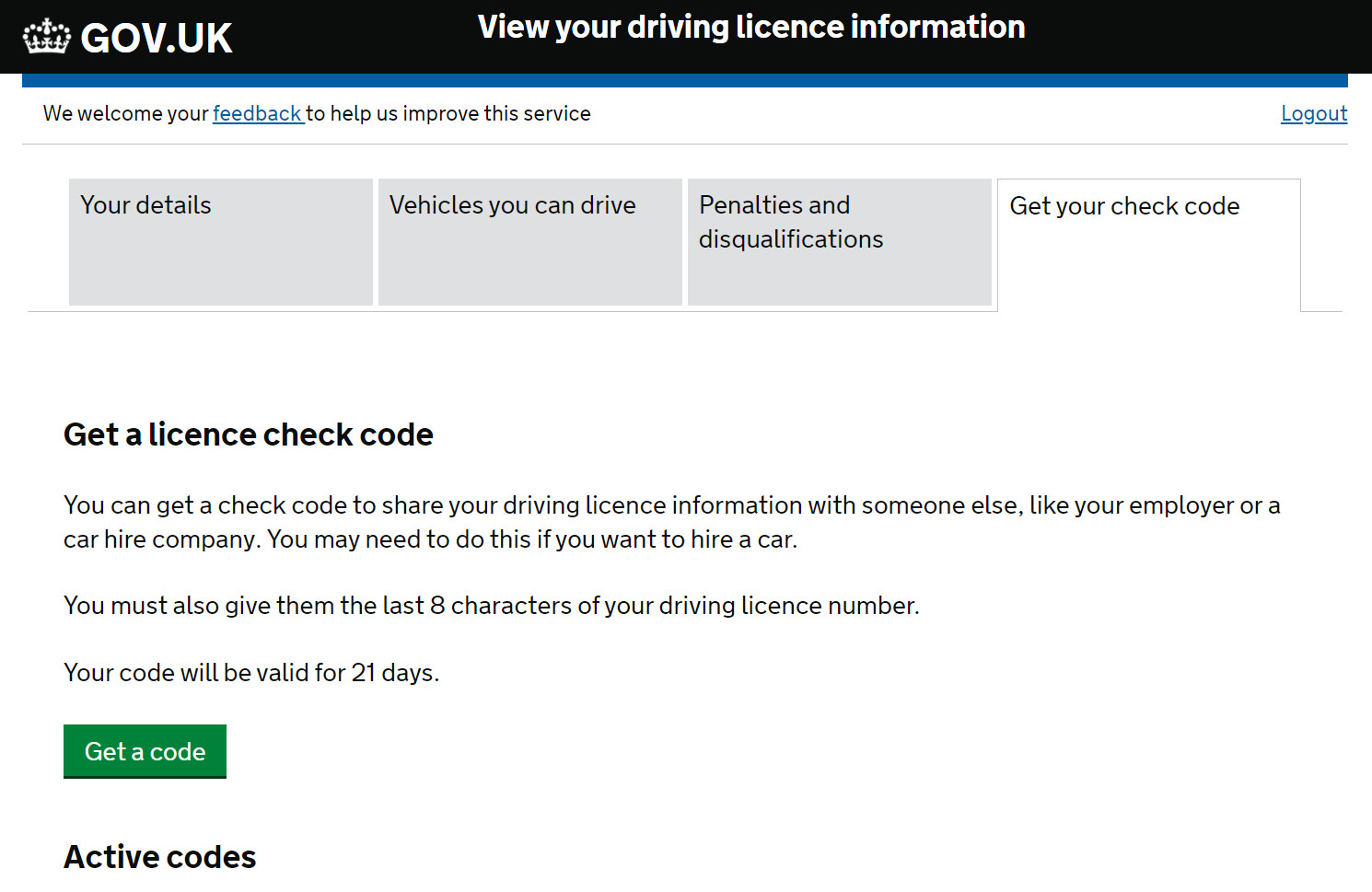
4. Click the button at the top right of the screen that says 'Get your check code', and then the green button that says 'Get a code', as pictured below.
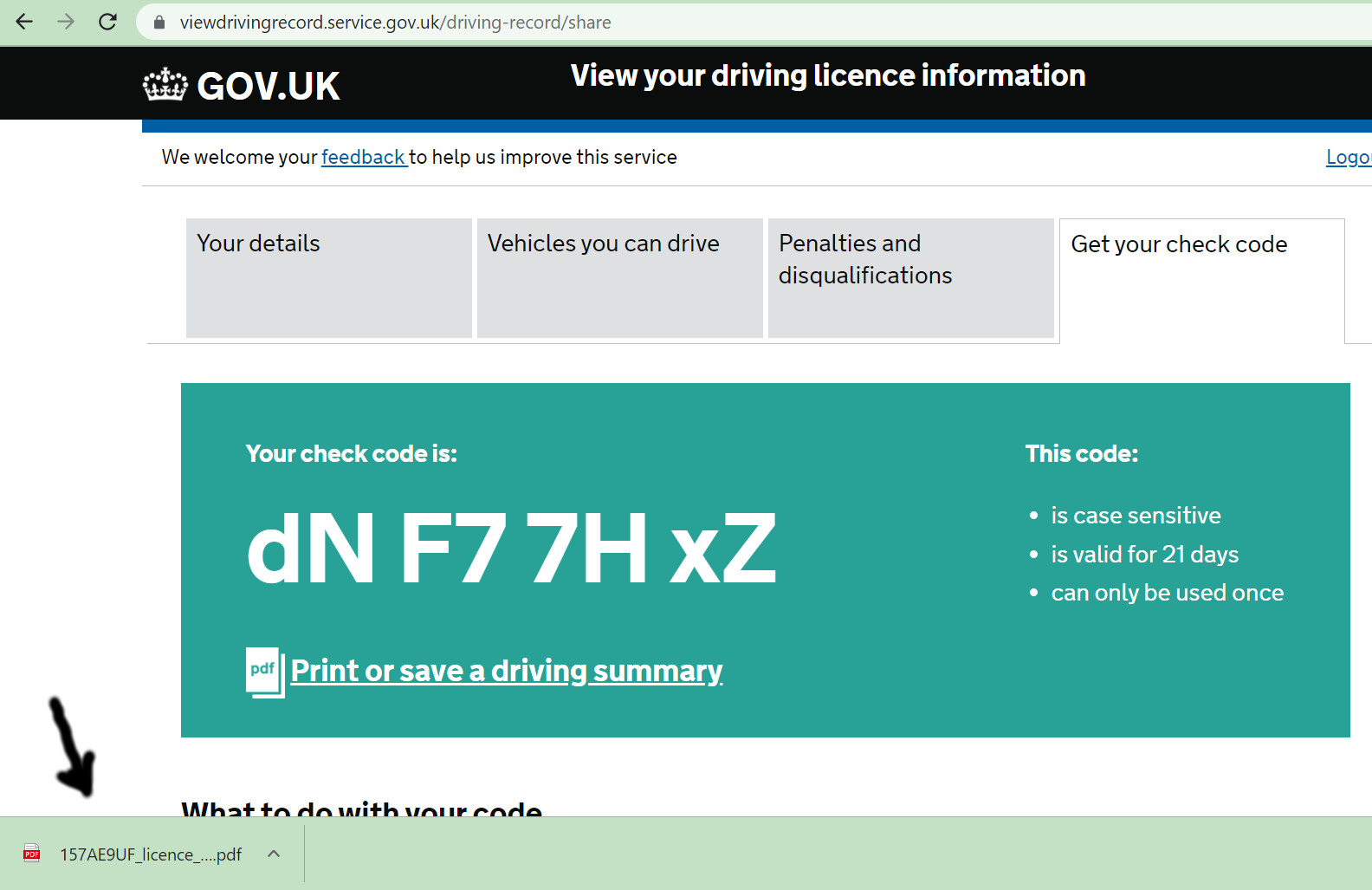
5. When the next page appears, click the text link that says 'Print or save a driving summary'. Then a file will download to the bottom left corner of your screen, as pictured below. Click on it to open it.
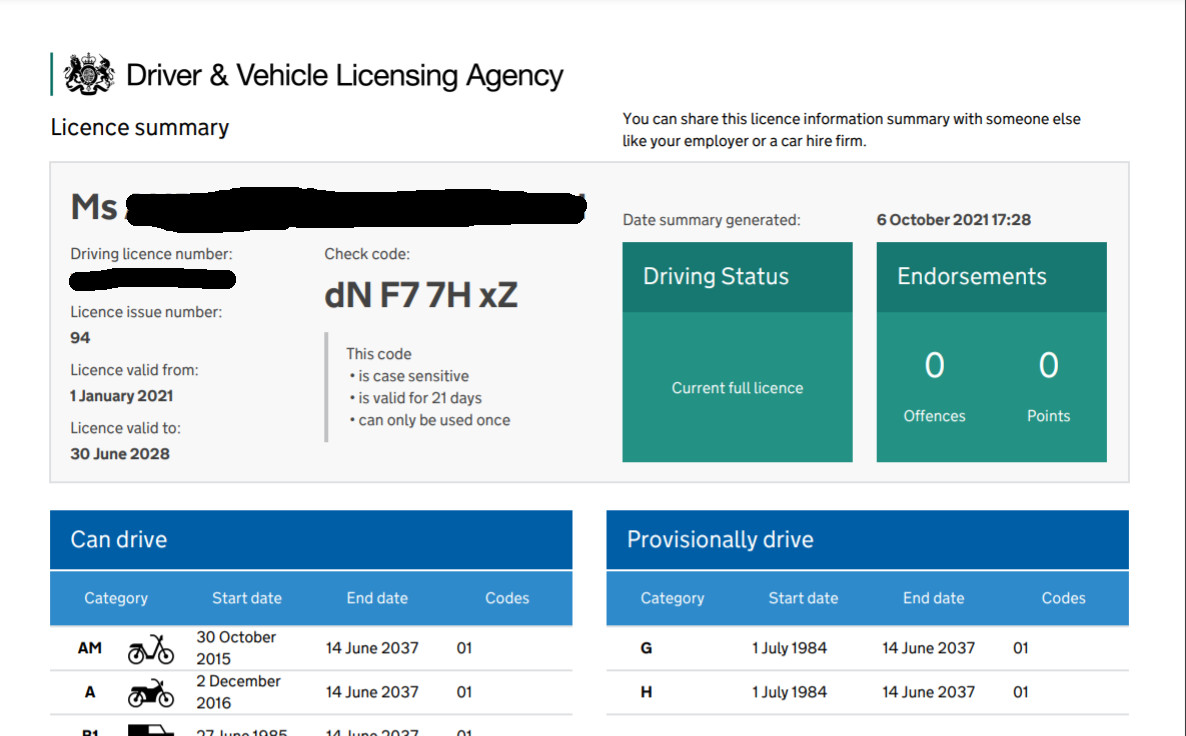
6. You will get a screen that looks like the picture below. Print out this page and show it to your driving instructor on your first lesson. If you experience any problems with printing out your driver record please contact our office on 07788 123 517.
NB. This procedure has been necessary since the abolition of the driving licence paper counterpart on June 8th, 2015.